

Table of Contents
- Why Busy Professionals Need Smart Home Devices That Save Time
- Quick Comparison: Top Smart Home Devices for 2026
- Smart Speakers and Displays: Hands-Free Control at Home
- Smart Home Security Devices for Peace of Mind
- Smart Lighting, Plugs, and Thermostats: Everyday Automation
- Smart Home Automation Ideas for Work-From-Home Schedules
- Smart Home Ecosystem Comparison: Which Platform Fits Your Life?
- Privacy, Costs, and Reliability: What to Know Before You Buy
- Frequently Asked Questions
Last Updated: October 4, 2026
Why Busy Professionals Need Smart Home Devices That Save Time
The best smart home devices for busy professionals are the ones that quietly remove daily decisions from your plate.
A common mistake is buying devices one at a time with no plan.
Below, we break down the categories worth your money in 2026, what each one actually saves you, and how to avoid the compatibility traps that waste a weekend.
Quick Comparison: Top Smart Home Devices for 2026
Here is the short version for anyone reading this between meetings.
| Device Type | Time It Saves | Setup Effort | Best For |
|---|---|---|---|
| Smart speaker or display | Hands-free control, reminders | Low | Central control point |
| Smart security camera | No manual checking | Low to medium | Remote access while away |
| Smart lock | No keys, no spare-key runs | Medium | Deliveries, cleaners, family |
| Smart lighting | No lamp-by-lamp switching | Low | Routines and schedules |
| Smart plug | Automates older appliances | Very low | Coffee makers, fans, lamps |
| Smart thermostat | Fewer manual adjustments | Medium | Energy efficiency and comfort |
Every item on that list earns its place by removing a repeated task. If a device does not save you time or money, skip it.
Smart Speakers and Displays: Hands-Free Control at Home
A smart speaker or smart display is the control hub most households start with, and it is usually the right first purchase.
Displays add a visual layer. You can see a video doorbell feed, follow a recipe, or check your calendar while your hands are full.
What most guides miss is that the speaker matters less than the assistant behind it. Pick the voice assistant your other devices support, or you will be running two systems forever.
Smart Home Security Devices for Peace of Mind
Smart home security devices cover cameras, video doorbells, sensors, and full alarm systems, and they exist to remove one specific worry: not knowing what is happening at home.
The key decision is storage and monitoring. Some cameras record locally to a card or base station, which keeps subscription costs at zero.
Motion detection has improved to the point where good cameras distinguish people from passing cars.
Smart Lighting, Plugs, and Thermostats: Everyday Automation
Smart lighting, smart plugs, and smart thermostats are the least glamorous category and the one that saves the most time. These devices turn repeated physical actions into schedules and routines.
- Smart bulbs let you set brightness and colour by room, and schedule lights to match your day.
- Smart plugs make older appliances controllable, so a coffee maker or fan runs on your timetable.
- Smart thermostats learn your patterns and adjust climate control without input, which supports energy efficiency over time.
The practical win is the routine. Lights that come on at sunset, a plug that starts the kettle before your alarm, and a thermostat that drops the temperature while you are out all add up. None of them require you to remember anything.
Smart Home Automation Ideas for Work-From-Home Schedules
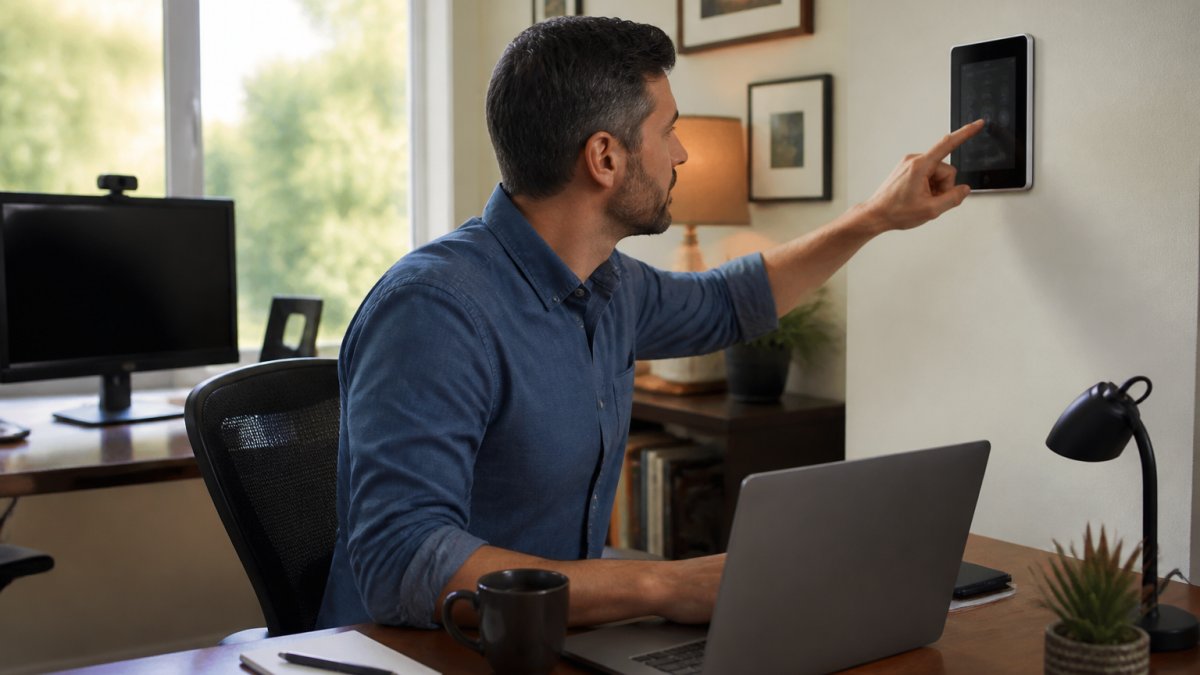
Automation routines are where a smart home stops being a novelty and starts earning its keep. The goal is a schedule that matches your working day, so the house adjusts around your meetings instead of interrupting them.
Build routines around triggers, not clock times
A routine that fires at 7:00 a.m. every day breaks the moment your schedule shifts. Better automations use a trigger plus a condition. Common trigger types:
- Time-based: useful for lights and thermostats that should follow a predictable baseline.
- Presence-based: your phone arriving home, or a motion sensor firing in the hallway, starts the routine only when someone is actually there.
- Calendar-based: some ecosystems can read your work calendar and adjust lighting or a "meeting in progress" indicator on a smart display.
- Voice or button: a physical smart button by the desk is faster than opening an app mid-call.
Conditions are what stop automations from misfiring. A "focus block" routine should only run if you are home, if it is a weekday, and if the office light is already on. Without conditions, the same routine will dim your lights during a dinner party.
Three workday routines that actually hold up
- Morning start (trigger: first motion in the kitchen, condition: weekday before 10 a.m.). Lights to 70%, thermostat to your working temperature, a news or calendar briefing on the speaker. If you commute some days, add a presence condition so it only runs when you are home.
- Focus block (trigger: voice command or desk button). Mutes notifications on your phone via a shortcut, dims non-essential lights, sets a do-not-disturb sign on a smart display, and pauses a robot vacuum if one is running. The single-command version matters because you will not open an app between meetings.
- End of day (trigger: time plus presence, condition: no calendar events remaining). Lights off downstairs, thermostat setback, security cameras armed, and a spoken summary of tomorrow's first event.
Meeting-friendly controls
If you take calls from home, two details save real friction. First, put a smart display or speaker within arm's reach of your desk so you can mute a notification or change lighting without touching your laptop. Second, avoid automations that trigger on sound alone, a doorbell chime or a spoken announcement during a client call is worse than no automation.
When your schedule changes
Schedules are not fixed. A few habits keep automations useful when your day moves:
- Keep a manual override on every routine, a physical switch, a voice command, or a button, so you are never stuck waiting for a schedule to end.
- Use "away" and "home" modes rather than deleting routines when you travel.
- Review routines once a season. Automations that made sense in winter (early sunset lighting) often need adjusting in summer.
Scheduling matters more than voice commands here. A routine that runs on time every day does not need you to remember it, which is exactly the point for anyone with a full calendar. But a routine that runs at the wrong time is worse than no routine, so build in conditions and overrides from the start.
Smart Home Ecosystem Comparison: Which Platform Fits Your Life?
A smart home ecosystem comparison comes down to one question: how much do you want to think about compatibility? Every platform has strengths, and the wrong pick means devices that never talk to each other.
Matter support has changed this conversation. Matter is a shared smart home standard that lets devices from different makers work together, so your choice of ecosystem matters less than it did a few years ago (Build With Matter).
For most busy professionals, the practical approach is:
- Choose the ecosystem that matches your phone and voice assistant.
- Buy devices that carry Matter support where possible.
- Keep the number of apps you need under three.
If you already own a smart speaker, build around it. Starting over costs more time than it saves.
Privacy, Costs, and Reliability: What to Know Before You Buy
Privacy, subscription costs, and reliability are the three trade-offs nobody mentions at the checkout, and they decide whether you still like your setup in a year. Most roundups list device prices and stop there. For a busy professional, the real question is what the setup costs you in money, attention, and risk over 12 to 24 months.
Total cost of ownership, not sticker price
The purchase price is the smallest number on the page. A realistic budget line includes:
- Hardware: the device itself, plus any hub or bridge it requires. Some ecosystems need a hub for certain sensors or locks; others do not.
- Subscriptions: cloud video storage, professional monitoring, and some advanced automation features are commonly subscription-only. Local storage on a camera or base station usually removes the video subscription, but you pay more upfront and manage the storage yourself.
- Installation: smart locks and thermostats are the two categories most likely to need a professional, especially if your wiring or door hardware is non-standard. Smart plugs, bulbs, and speakers are typically DIY.
- Energy and upkeep: thermostats and smart plugs can reduce energy use through scheduling, but the savings depend on your home, climate, and habits. Batteries in sensors, locks, and buttons are a recurring small cost.
- Your time: setup, troubleshooting, and app maintenance. A device that needs a firmware update every month is not free.
A useful rule: if a device's main value depends on a subscription you would cancel in a tight month, treat the subscription as part of the price when comparing options.
Privacy: what actually leaves your home
Cameras and speakers collect data. The practical questions are where it is processed and who can access it.
- Local processing and local storage keep footage and voice data on a device or base station in your home. This usually costs more upfront and gives you less remote convenience.
- Cloud processing and cloud storage enable features like person detection, remote playback, and voice assistants that improve over time. The trade-off is that data leaves your home and is governed by the vendor's privacy policy.
- Account security matters as much as device privacy. Use a unique password, enable two-factor authentication, and review which third-party services have access to your assistant account. A compromised account exposes every device tied to it.
- Camera placement is a privacy decision too. Avoid aiming indoor cameras at workspaces where you take confidential calls, and check whether your employer has rules about recording during work hours.
Read the privacy settings before you mount anything. Most vendors let you disable microphone recording, set retention windows, or opt out of data used to improve services, but the defaults are usually the most permissive.
Reliability: plan for the day the internet drops
Your wireless network is the weak point. A mesh system improves coverage, and a small uninterruptible power supply for your router and hub keeps the network alive through short outages. Beyond that, decide in advance what still works when things fail:
- Locks: choose a model with a physical key or keypad code that works offline. A lock that only opens via app is a liability during an outage.
- Lights: smart bulbs often fail to a default state; smart switches with a physical toggle keep working manually. If a room must always have light, prefer a switch over a bulb.
- Thermostats: most retain basic heating and cooling control without Wi-Fi, but schedules and remote access stop. Know how to set it manually before you need to.
- Cameras and sensors: battery-powered models keep recording locally during a power cut; mains-powered models do not.
Frequently Asked Questions
What are the most useful smart home devices for busy professionals?
Smart speakers and displays offer hands-free control, smart thermostats cut energy waste, and smart locks provide keyless entry. Security cameras and video doorbells let you check on your home remotely. These devices save time by automating daily routines and giving you remote access, so you can focus on work instead of home management.
Which smart home devices save the most time?
Smart thermostats with scheduling and smart lighting with automation routines save the most time. They adjust automatically based on your schedule, so you never have to think about heating or lighting. Smart plugs can also turn off devices you forget, and voice assistants let you control everything without lifting a finger.
Are smart home devices difficult to set up and use?
Most modern smart home devices are designed for easy setup. Many use a mobile app with step-by-step instructions and connect via Wi-Fi or Bluetooth. Devices that support Matter or a common ecosystem like Alexa or Google Home are especially simple because they work together out of the box. Expect to spend 10-15 minutes per device.
Can smart home devices help reduce energy use?
Yes. Smart thermostats learn your schedule and adjust temperatures when you're away, cutting heating and cooling costs. Smart lighting uses LED bulbs and can be scheduled or motion-activated, so lights aren't left on. Smart plugs can cut power to devices on standby. Together, these can lower your energy bills without extra effort.